


Vinyl stickers are printed vinyl decals cut to the exact shape of your design. No rectangular border, no visible backing around the edge. Sounds simple, except every supplier talks about it differently: contour cut, kiss-cut, die-cut, cutting die. In this article we sort out the terms, show you the four versions, what vinyl sticks to and where you should test first, what your customer's file needs to look like and how to add stickers to your own range.
Contour cut, kiss-cut, die-cut: what the terms mean
Four terms get mixed up constantly, although they describe two different things: the shape of the cut line and the depth of the cut.
| Term | What it means | What it is good for |
|---|---|---|
| Contour cut | The cutter follows the edge of your design, any shape is possible. | logos, mascots, lettering, anything that is not a rectangle |
| Kiss-cut | Only the vinyl is cut, the backing paper stays in one piece. | sticker sheets with several designs on one page |
| Single cut | Vinyl and backing are cut through, every sticker is separate. | individual stickers you hand straight to a customer |
| Cutting die | A metal tool punches out the same shape every time. | very large runs of one single shape, as every new shape needs a new tool |
Our vinyl stickers are contour cut, following your design exactly, and they are cut individually: every sticker arrives on its own, ready cut, not as a sheet you still have to peel or trim. A narrow border runs around the design. It calms the contour down and absorbs small tolerances during cutting. You set the colour and the width of that border yourself, in the designer under “Contour”.
Not to be confused with the CutContour on our CUT transfers for textiles. There you create the cut line in your file yourself, on vinyl stickers our system does it for you. How a CutContour is built is explained in Creating a CutContour.

Shape, border and size: what you can set
You upload your design on the product page and set everything else in the designer:
- Cut shape: contour cut along your design, or round, rectangular and rectangular with rounded corners if you prefer a calm standard shape.
- Distance to the cut line: tight at 1.5 mm, medium at 3 mm or wide at 5 mm. That is how wide the border around your design becomes. Tight looks precise, wide makes delicate designs more robust. The colour of the border is set in the “Contour” tool, white is the classic, but it does not have to be.
- Size: from 40 x 40 mm, either from the presets or as a free size. The sheet width of 1200 mm sets the upper limit, so everything from a small logo to a window sticker is possible.
- Enclosed areas: you decide whether enclosed areas inside your design are printed as well, for example the space inside the letter O.
- Project check: before you finish, the designer shows your design with the cut line, the safe area and the bleed. Take another look there before you add it to your basket.
Several designs in one order are no problem: you create them one after another and see them side by side in the overview.
Four versions: white or transparent, matt or gloss
You choose the vinyl and the laminate through the product, not in the designer. Four versions are available, all from €0.54 each:
| Version | Vinyl and laminate | What it is made for |
|---|---|---|
| Vinyl stickers gloss | white vinyl, gloss laminate | strong colours and rich contrast, the classic for logos and illustrations |
| Vinyl stickers matt | white vinyl, matt laminate | a calm surface without reflections, good for lettering and understated brands |
| Vinyl stickers transparent gloss | transparent vinyl, gloss laminate | design without a visible background, especially effective on glass |
| Vinyl stickers transparent matt | transparent vinyl, matt laminate | the same, only calmer, without reflections on the glass |
White on transparent vinyl
On the transparent versions you decide in the designer, under “White print”, how your design should look:
- No white: translucent like window film. The surface shows through the colours and white areas stay see-through.
- White behind the design: white sits under everything that is printed. The colours stay opaque, white areas really do come out white, and the vinyl around them stays clear.
White is a second print pass and costs 20 per cent extra. The versions on white vinyl do not offer this choice, as your design already sits on white there.
Matt or gloss is purely a question of surface: both are protective laminates over the print. Gloss pushes the colours forward, matt takes out reflections and makes lettering easier on the eye.

What vinyl stickers stick to
Vinyl likes smooth, clean and dry surfaces. The smoother the surface, the better it holds:
| Holds well | Test first |
|---|---|
| glass and windows | painted surfaces on vehicles |
| metal | strongly curved surfaces |
| plastic | soft plastics and rubber |
| painted wood | untreated or oiled wood |
| rigid PVC | rough, porous surfaces such as plaster, cardboard or fabric |
- Prepare the surface: dust, grease and cleaning residue stop the sticker from holding. Wiping it once with a little alcohol and letting it dry is usually enough.
- From the middle outwards: place the sticker in the middle and smooth it outwards, then no bubbles are left behind.
- Check a small run first: on a new surface, stick one single piece on and look at it again a few days later.
Weatherproof, but without a promise in years
Our vinyl stickers are waterproof, weatherproof, UV-resistant and scratch-resistant, and the laminate sits as a protective layer over the print. How long a sticker still looks new outdoors depends on where it sits: a south facing wall, salt, a pressure washer and daily rubbing are something else than a laptop lid in an office. That is why you will not find a number of years here. If you need a statement for your customer, use the location as your yardstick and test on site once.
Adding stickers to your own range
Stickers are a good add-on sale if you already decorate textiles: same customer, same file, different product. There are four things worth knowing first.
1. Understanding quantities
Printing and cutting happen on a sheet. The designer therefore places your design side by side as often as it fits across the sheet width and suggests exactly that quantity, so no material goes to waste. For your customer that means a single small sticker costs as much as the first sensible quantity, and the smaller the design, the more stickers fit on the same area.
2. Promising what you can keep
- What you can promise: waterproof, weatherproof, UV-resistant, scratch-resistant, contour cut to the exact shape, production in 2 to 5 working days.
- What you leave open: a fixed lifespan in years, dishwashers, food contact and any surface you have not tested.
- What helps in a conversation: a sample. Order a small set with a new customer's logo first, it convinces faster than any description.
3. Keeping your range small
Four versions sound like a lot of choice, but two are usually enough when you talk to a customer: white gloss for anything that should stand out, and transparent for glass. Add matt when lettering is involved or the surface must not reflect. If you cannot decide, order a small set in two versions and put them next to each other.
4. Choosing the right product
Not every job is a vinyl job. Textiles need a DTF transfer, and for a smooth surface that should feel printed rather than covered, rub-on stickers made from UV-DTF are the better choice, because no film stays on top. Vinyl plays to its strengths when things need to be robust, weatherproof and quick. Which product suits which job is shown in Which product suits my project?
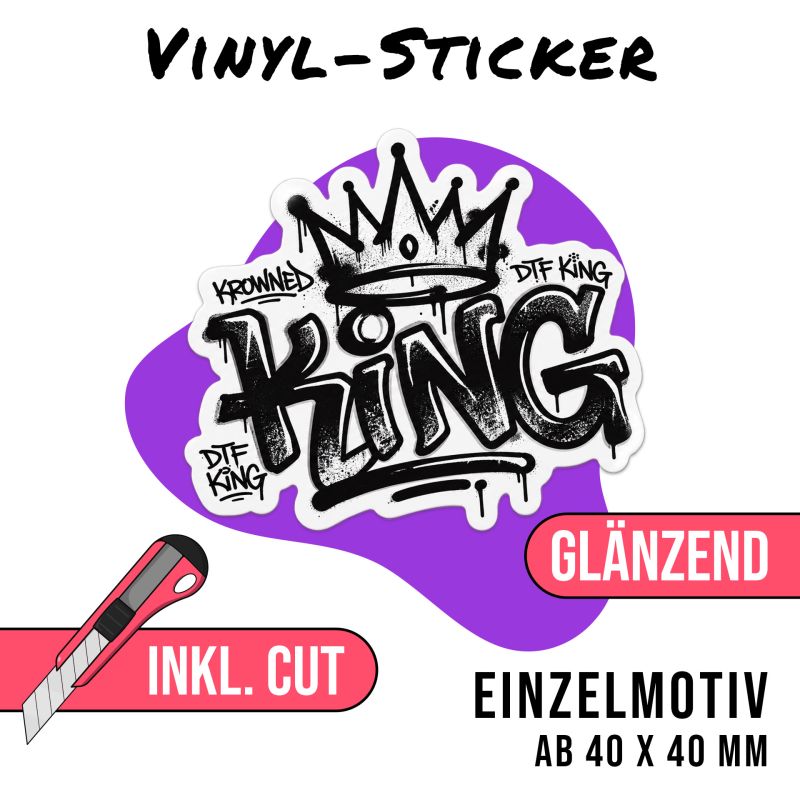 Vinyl stickers gloss
from €0.54 each
white vinyl, gloss laminate
Prices excl. VAT plus shipping
Configure now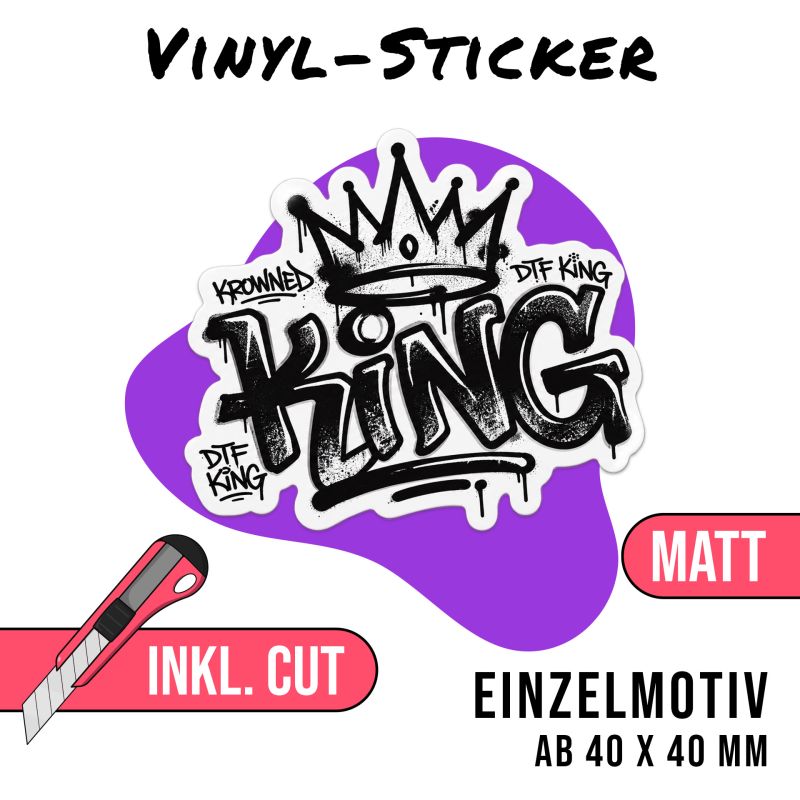 Vinyl stickers matt
from €0.54 each
white vinyl, matt laminate
Prices excl. VAT plus shipping
Configure now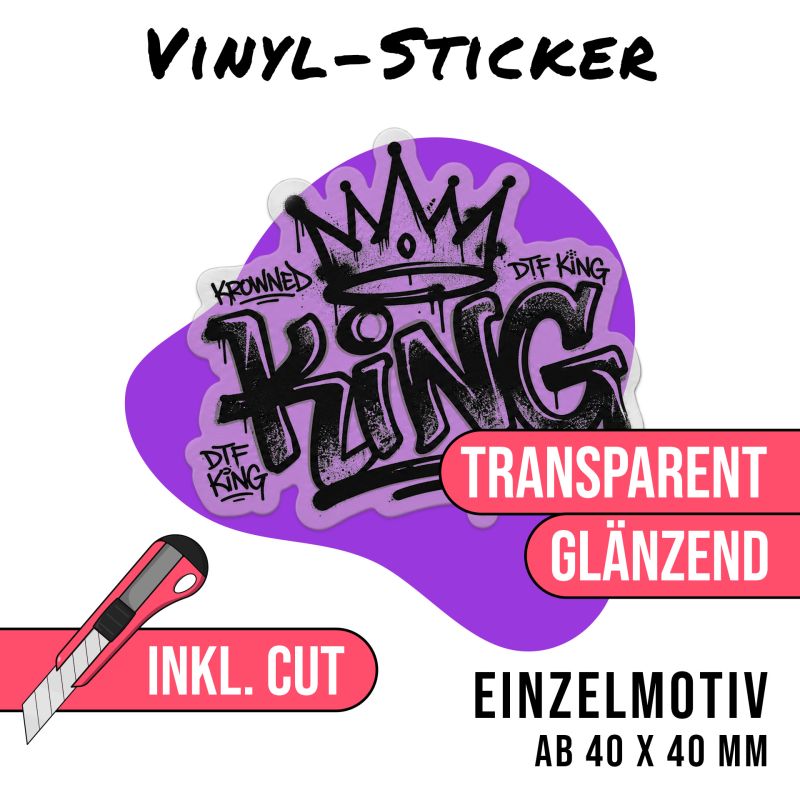 Vinyl stickers transparent
from €0.54 each
transparent vinyl, white can be added
Prices excl. VAT plus shipping
Configure nowYour customer's file: what it needs to do
You do not need a finished print template, but you do need a clean file:
- Cut out: a PNG with a transparent background, or a PDF in which the background is genuinely open. Everything visible in the file gets printed, including a white box behind the logo.
- 300 dpi at final size: a small image from the web is not enough for a large sticker.
- At least 40 x 40 mm: it does not go smaller, and fine detail needs some space anyway.
- Using transparency: on transparent vinyl everything without colour stays open. If it needs to be opaque there, have your design backed with white in the designer.
- Grey areas from the colour chart: a grey mixed from all colours easily picks up a cast in print. Take a value from our colour chart instead, more on that in Grey tones in the DTF printing process.
- No cut line needed: our system creates it.
How to export correctly from Illustrator, Photoshop, CorelDRAW, Affinity or Canva is covered in Exporting your files correctly. Why a logo as a vector is worth more than a screenshot is explained in Pixels and vectors compared. The most common pitfalls are collected in The most common mistakes and how to fix them.
Frequently asked questions
What is the difference between contour cutting and kiss-cut?
Contour cutting means the cut line follows the exact shape of your design. Kiss-cut describes how deep the cut goes: only the vinyl is cut, the backing paper stays in one piece. Our vinyl stickers are not kiss-cut. Every sticker arrives on its own, cut to shape, with no sheet around it.
How big can a vinyl sticker be?
From 40 x 40 mm upwards. The sheet width of 1200 mm sets the upper limit, so anything from a small logo to a window sticker is possible.
Do I have to create the cut line myself?
No. You upload your design, our system creates the cut line and the narrow border around it. You only need your own cut contour for CUT transfers on textiles.
Which files can I upload?
PNG, JPG and PDF. A cut-out PNG at 300 dpi in the final print size works best. A PDF is fine too, just make sure the background is genuinely transparent and not saved as a white box.
How is the suggested quantity calculated?
The designer places your design side by side as often as it fits across the sheet width and suggests that quantity. That way no material goes to waste. It also means a single small design costs as much as the first sensible quantity.
Which version should I choose?
Colours are strongest on white vinyl, which makes it the safe choice for logos. Transparent vinyl makes the design look like it sits directly on the surface, which works beautifully on glass. Gloss pushes the colours forward, matt takes the reflections out.
Is white printed on transparent vinyl?
You decide that in the designer. The transparent versions have a white print option with two settings: “No white”, where the sticker works like window film and the surface shows through, or “White behind the design”, where white sits under everything printed so the colours stay opaque. White is a second print pass and costs 20 per cent extra. The versions on white vinyl do not offer this choice, as your design already sits on white.
Do vinyl stickers last outdoors?
Yes. They are weatherproof and UV-resistant, and the laminate protects the print on top of that. How long a sticker still looks new outdoors depends on where it sits, which is why we deliberately avoid naming a number of years.
Are vinyl stickers dishwasher-safe?
We do not give a blanket dishwasher approval. Clean bottles and cups by hand.
Are vinyl stickers available as an express product?
No. We produce them as standard in 2 to 5 working days. If you need them for a fixed date, get in touch beforehand using our contact form.
View gloss vinyl stickersAll stickersView UV-DTFPrint data
Also useful: Preparing your print data, Contact and FAQ.
Related articles


19/09/2024
Which product suits my project?

29/10/2024
Creating a CutContour
Good luck with your stickers
DTF-King Team


