


UV DTF Transfer transparent without opaque white
For rub-on stickers where light, glass or the object colour should remain part of the design, without opaque white print and with lower quantity prices for B2B.

With UV DTF Transparent, the CMYK colours are not backed with white. Light and white areas of the design therefore remain clear. Even in coloured areas, the surface shows through and changes the final appearance.
This effect is suitable for window panes, glass doors, candle jars and light transparent objects. For dark or strongly coloured objects, Transparent is only suitable if the changed colour appearance is expressly desired. Otherwise, choose an opaque version.
- From a single piece
- Tiered prices
- Express available


Transparent UV DTF rub-on single design in any quantity You upload a single design and decide how often it should be printed. This is intended for company logos, product labels and promotional items where one and the same design is needed in higher quantities. The sheet builder automatically handles how the copies are distributed on the sheet, so you do not need to set print width and sheet length yourself. The price is based on the design area multiplied by the quantity, calculated per square metre. Without white print, the surface shows through the design, which is the intended transparent effect, and the protective varnish protects the surface. You receive everything on one continuous sheet. All copies stay side by side on the sheet; the individual designs are not cut. Upload a single design, you decide the quantity Charged per square metre of design area Comes as one continuous sheet CMYK and protective varnish, no white beneath Suitable for labels on glass, logos on windows and light-coloured product surfaces No plotter cutting or weeding needed One piece is enough, no minimum order value How to set up the print files for your single design Save your design as a single-page PDF or PNG, at the size at which it will later be printed. You do not need to create copies or place designs side by side; the sheet builder takes care of that. If possible, work at 300 dpi in CMYK and keep details at least 0.4 mm. If the background should not appear in print, save it as transparent. Do not mirror the design. What makes the transparent version special and which surfaces suit it is explained in the overview. Step by step to ordering your single design First, upload your single-page PDF or PNG file and enter the quantity. Design area and quantity together give the total area on which the price is based. Check the details and then add them to the basket. The Pro File Check is not available for single designs, so please set up your file print-ready. A file may be no larger than 500 MB. The upload rejects PDFs with several pages, so each page is a file of its own. If the file has an error, an email is sent to you, and you can send us the improved print file by email or via WeTransfer, stating your order number.


Transparent UV DTF rub-on stickers in a custom length You set the length yourself; anything between 10 centimetres and 3 metres in one piece is possible, at a print width of 560 mm. You pay for the size in your file, not for the next full metre. You distribute company logos, product labels or designs for promotional items on the roll in a space-saving way. White is not printed, so the surface shows through and the design looks deliberately transparent. The protective varnish keeps the surface protected. Any length between 10 cm and 3 m Print width 560 mm Charged by the actual size, no rounding up CMYK and protective varnish, no white base Suitable for glass labels, window logos and light-coloured product surfaces No plotter cutting or weeding From a single piece, there is no minimum order value Setting up the print file for your custom length Set up the file as a single-page PDF or PNG, 560 mm wide and in the length you want to order, i.e. between 100 and 3000 mm. If possible, work at 300 dpi in CMYK and with details of at least 0.4 mm. A background that should not be printed must be set up as transparent. Plan around 10 mm of space from design to design. Set up the file unmirrored. What makes the transparent version special and on which surfaces it makes sense is explained in the overview. How the order works You can add the Pro File Check if needed. The multi-upload accepts several single-page PDF or PNG files, and you enter a separate quantity for each roll. The length is read from your file. Once everything has been checked, the entire selection goes into the basket. A file may be no larger than 500 MB. Multi-page PDFs do not pass the upload, which is why each page is uploaded as a separate file. If there is something wrong with a file, you will receive a message by email, and you can then send the corrected print file by email or via WeTransfer, always quoting your order number.
Content: 0.56 m² (€23.12 / 1 m²)

Transparent UV DTF rub-on stickers by the metre A running metre of UV DTF Transparent is designed for runs on glass and light-coloured hard surfaces. The metre sheet measures 560 x 1000 mm, and you arrange logos, lettering and different design variants on it so that as little space as possible is left unused. It is printed without white, so the surface shows through and creates a deliberately transparent effect. Plenty of space for runs, without a white base Printed in CMYK, with a protective varnish on top Available from a single piece, with lower tiered prices for larger quantities Intended for labels on glass, logos on windows and light-coloured product surfaces Applied without heat The print file for the transparent metre sheet Set up your file as a PDF or PNG with one page in the format 560 x 1000 mm. Use 300 dpi, CMYK and details of at least 0.4 mm. Where there is no ink, the sheet stays completely clear, because no white base is applied. There should be about 10 mm between individual designs. Do not mirror the file. Further differences between Standard, Matt and Transparent are explained in the UV DTF overview. Ordering transparent film by the metre Before uploading, choose whether to add the Pro File Check. You can then upload several sheet variants, enter the quantity you want for each file and add everything to the basket together. If you reorder regularly, you should check the colour effect on the same batch of objects. A single file may be no larger than 500 MB. The upload does not accept a PDF with several pages, so upload your pages individually as files. If we notice an error in a file, you will receive an email from us and can send a corrected single-page file by email or via WeTransfer, always quoting your order number.
Content: 0.56 m² (€23.12 / 1 m²)

Transparent UV DTF rub-on stickers, 560 x 500 mm The half metre is suited to smaller runs of glass logos with a transparent look, window lettering and designs on light-coloured objects. The 560 x 500 mm area gives you room to place different designs side by side. As no white base is printed, the surface shows through and influences how the colours look once applied. Printed in four colours, without an opaque white layer Sheet size 560 x 500 mm Available from a single sheet, with tiered pricing For light-coloured and translucent hard surfaces No plotter cutting, no weeding How to set up your transparent half metre Your document measures 560 x 500 mm, 300 dpi is preferred, and individual elements must be at least 0.4 mm. Leave around 10 mm between designs, and do not mirror the single page. Do not judge the colours on screen alone; check them on a sample of the actual object. On dark materials, the design can almost disappear. On drinkware, keep the design at a distance from the rim and the areas that come into contact with the mouth. Several design variants in one order If required, you can add the Pro File Check. Drag and drop several single-page PDF or PNG files and add each one to your basket with its own quantity. That way, every transparent variant can be clearly identified later on. The maximum file size is 500 MB. The upload does not accept multi-page PDFs; simply upload each page as its own file. If something goes wrong, you will receive an email and can then send us the corrected file by email or WeTransfer, with your order number.
Content: 0.28 m² (€30.54 / 1 m²)

Transparent UV DTF rub-on stickers in A3 A3 offers room for larger transparent lettering, window logos or several designs for bottles and glasses. No white is printed beneath the colours, so the object remains visible through the print. On the large area, the design therefore looks light and translucent rather than like an opaque sticker. Sheet measuring 297 x 420 mm Four-colour print in CMYK, no white base Printed areas carry a protective varnish B2B runs in quantity tiers No pressing, no weeding when applying Setting up the print file for the translucent A3 sheet Upload a single page as a PDF or PNG, unmirrored, at 297 x 420 mm and with around 300 dpi. The gang sheet is neither trimmed nor scaled. Keep fine details at 0.4 mm or thicker and leave around 10 mm between two designs on the sheet. Bear in mind that light colours can look much paler on coloured or dark surfaces. Always set up the file the right way round; you do not need to mirror it. If the design is to go on the inside of the pane and be read from outside, send us a short email with your order number after ordering, and we will mirror it for you. Test legibility and colour effect on the original material. Putting together and uploading transparent A3 sheets You can add the Pro File Check if needed. Drag and drop your single pages and enter the quantity you want for each file. Finally, check that file and quantity match and add the complete order to your basket. A maximum of 500 MB is possible per file. The upload does not allow several pages in one PDF, so you split the PDF into single-page files. Should a file contain an error, you will be informed by email, and you can send the corrected file by email or via WeTransfer, together with your order number.
Content: 0.125 m² (€54.80 / 1 m²)

Transparent UV DTF rub-on stickers in A4 A4 is intended for individual transparent glass designs, samples and small runs. UV DTF Transparent has no white base. Whatever is behind the design therefore shows through the colour areas: the glass itself, a light-coloured surface or the contents of a clear object, and this shifts the colour effect. Sheet size 210 x 297 mm Four-colour print without white, plus a protective varnish Available from a single piece, tiered prices available Intended for glass and for firm, light-coloured surfaces, provided they are suitable On dark objects, the design is only partially visible Print files for the transparent A4 sheet Your file is a PDF or PNG with exactly one page in the format 210 x 297 mm. There is no trimming or scaling to A4. If possible, work in CMYK at 300 dpi and keep individual elements at least 0.4 mm thick. If there are several designs on the sheet, it is best to leave around 10 mm between them. Do not mirror the file, and think carefully beforehand about which areas should remain clear. Because the surface shows through, check the colour effect directly on the original object. The transfer is not food-safe, so keep the rims of cups and glasses and other food contact areas free. How to order the transparent A4 sheet If you are unsure about your file, add the Pro File Check. Then upload your single-page PDF or PNG files, enter the quantity you want for each file and add everything to the basket together. A file may be no larger than 500 MB. The upload only takes PDFs with a single page, so upload further pages as additional files. If something in a file needs changing, you will receive an email from us, and you can send us the corrected print file by email or via WeTransfer afterwards, always quoting your order number.
Content: 0.062 m² (€55.65 / 1 m²)

Transparent UV DTF rub-on stickers, express custom length The custom length is a continuous roll with a 560 mm print width, and you set its length yourself: from 10 centimetres to 3 metres in one piece. You pay for exactly the length you set up; there is no rounding up to full metres. It is printed in CMYK with a protective varnish on top; there is no white base. As an express version, your roll moves forward in production. EXPRESS PRODUCTION! Please also select express shipping in the basket. Same-day dispatch only takes place if express shipping has been booked and the cut-off time has been met. Supply the roll print-ready With express, there is no Pro File Check, so your file must reach us fully set up. Go through these points one by one before uploading: a single-page PDF or PNG file; multi-page PDFs are not accepted by the upload, so upload each page as a separate file 560 mm wide and exactly the length of roll you want to order, between 100 and 3000 mm ideally 300 dpi and CMYK details of at least 0.4 mm transparent background if it should not be printed set up unmirrored about 10 mm of space between individual designs no more than 500 MB per file You will find notes on the transparent version and suitable surfaces in the overview. Why the roll stays transparent without white Because there is no white layer beneath the colours, the surface remains visible, and it is exactly this translucent effect that is intended. This is suitable for glass labels, logos on windows and light-coloured product surfaces. The protective varnish protects the surface. Nothing is plotter cut or weeded. You place company logos, product labels and designs for promotional items close together on the roll; you can order a single piece, and there is no minimum order value. From upload to basket Using the multi-upload, upload several single PDF or PNG pages one after another and enter a separate quantity for each roll. The length is read from your file. Once you have checked everything, add the entire selection to the basket in one go. If a roll is rejected because of a file error, we will contact you by email, and you can send the corrected print file by email or via WeTransfer, quoting your order number. Cut-off times (German time): For everything to run smoothly, your payment and the error-free print files must be with us by 11:00 at the latest. If your order covers no more than 10 metres, we still accept print files until 14:00. Faulty files and payments that arrive late or incomplete may delay dispatch. So your parcel only goes out on time if payment and print files are with us punctually and free of errors.
Content: 0.56 m² (€26.16 / 1 m²)

Transparent UV DTF rub-on stickers: Express by the metre Transparent Express by the metre offers plenty of space for short-notice runs on glass, panes and light-coloured product surfaces. The roll measures 560 x 1000 mm and holds various translucent designs side by side. White is not printed, so the object remains visible through the design and the look stays transparent. Cut-off times (German time): Your parcel leaves us on time. This requires error-free print files and timely payment. Dispatch may be delayed if files are faulty or the payment arrives late or only in part. For everything to run smoothly, payment and error-free print files must be with us by 11:00 at the latest. If you order up to 10 metres, we still accept files until 14:00. One running metre, express production CMYK without a white base, but with protective varnish Tiered prices for commercial runs Rubbed on, without a press Print-ready files only The file for the transparent express metre roll Your artwork is a single-page PDF or PNG, 560 x 1000 mm in size and around 300 dpi in resolution. Keep lines and isolated areas at least 0.4 mm and leave about 10 mm between designs. Upload it unmirrored, and the file must be print-ready, as there is no Pro File Check here. Before starting a larger run, test on the original material how the colours look in the transparent version. Express ordering and shipping Using the multi-upload, set the quantity for each file and then move everything into the basket together. If your order, payment and error-free files are with us by 11:00, the roll goes into production on the same working day. For up to 10 metres, files are accepted until 14:00. The multi-upload accepts files of up to 500 MB each. It does not accept multi-page PDFs, though, so upload each page as its own file. We will report errors in the files by email. You can send us the corrected single page by email or via WeTransfer afterwards, stating your order number. If you want the parcel to travel faster too, also book express shipping.
Content: 0.56 m² (€26.52 / 1 m²)

Transparent UV DTF rub-on stickers 560 x 500 mm Express The half metre Transparent Express is intended for urgent small runs on glass and light-coloured hard objects. You can combine several logos or different design variants on one sheet. As no white layer is printed, the colours remain translucent and their effect visibly depends on the surface. Cut-off times (German time): Your parcel goes out from us on schedule. This requires error-free print files and a payment that reaches us in time. If the payment arrives late or incomplete, or if there are errors in the files, dispatch may be delayed. Payment and error-free print files must therefore be with us by 11:00 at the latest so that everything runs without delay. For orders up to 10 metres, file acceptance closes at 14:00. Express sheet measuring 560 x 500 mm Four-colour print, no opaque white Available from a single piece, with quantity tiers Applied without a press Single pages only, set up print-ready Setting up the transparent file at the final size Set up your file as a single page at 560 x 500 mm, as a PDF or PNG. If possible, use 300 dpi, CMYK and elements of at least 0.4 mm. Leave around 10 mm between designs, and do not mirror the file. The transparent version is not suitable for opaque logos on dark objects. No Pro File Check is available with express. Upload files and speed up shipping You can upload several files by drag and drop and set a separate quantity for each. The order then goes into the basket and you pay for it. If an order is complete by 11:00, it goes through production on the same working day; for up to 10 metres, we still accept files until 14:00. A maximum of 500 MB is allowed per file. A multi-page PDF will not get in through the upload, so save each page as its own file. If the file contains an error, you will receive an email from us. You can send the corrected file by email or through our WeTransfer link, always quoting your order number. If you also want a short parcel delivery time, book express shipping as well. Or you can collect the goods; we will let you know as soon as they are ready.
Content: 0.28 m² (€36.79 / 1 m²)

UV DTF rub-on stickers A3 Express, transparent without white print The sheet measures 297 x 420 mm and is printed in CMYK with protective varnish, without a white base. This is why the surface shows through the design. The sheet can hold either one large logo or several small rub-on stickers. The transfer takes place without heat. What happens without a white base Only the CMYK colours are printed; there is no white layer. If the sticker sits on glass or light-coloured material, the colours come out close to your file. On a dark surface, the same design looks darker than set up, light tones lose strength, and every white area in the file stays unprinted and shows the surface. If your design should also be opaque on a dark surface, you need a version with a white base. The protective varnish protects the surface. UV DTF is not intended to come into contact with food or the mouth. Express, sheet size 297 x 420 mm Colour print in CMYK plus protective varnish, no white beneath Suitable for glass and light-coloured surfaces Intended for additions and for urgent individual orders Net prices, the tiers apply across all files together A print-ready single page is required How to set up the file Send us a single-page PDF or PNG, finished at the final size of 297 x 420 mm and ideally at 300 dpi. The background stays transparent, the file must not be mirrored, and free-standing details should be at least 0.4 mm thick. If you distribute several designs on the sheet, plan about 10 mm of space between them. There is no Pro File Check with express, so your file must reach us print-ready. More about the transparent version can be found in the overview. Ordering, deadlines and production Upload your single pages, enter the quantity for each file and then add the order to your basket. If your order, payment and files are error-free and complete by 11:00, the sheet goes into production on the same working day. If you also want the parcel to be faster, book express shipping in addition. Up to 500 MB is possible per file. The system rejects multi-page PDFs as soon as they are uploaded, so save the pages separately. If an error comes up in a file, we will send you an email, and you send the corrected file by email or via WeTransfer, always quoting your order number. Cut-off times (German time): Payment must have been received and the print files must be error-free by 11:00 at the latest. If you order up to 10 metres, we accept your files until 14:00. Faulty files and payments that arrive late or incomplete delay dispatch.
Content: 0.125 m² (€68.40 / 1 m²)

Transparent UV DTF rub-on stickers A4 Express A4 Express suits individual short-notice glass designs and small repeat orders with a translucent colour effect. The print has no white base. This means the object beneath remains visible. Cut-off times (German time): We make sure your parcel goes out on schedule. For this, we need a payment that reaches us in time and error-free print files from you. Faulty files as well as late or incomplete payments can delay dispatch. For everything to run smoothly, payment and error-free print files must have reached us by 11:00 at the latest. If the order covers up to 10 metres, file acceptance only closes at 14:00. 210 x 297 mm with express CMYK without white print, but with protective varnish Available from a single piece, with tiered prices PDF or PNG, set up print-ready No Pro File Check with express Your files for transparent A4 with express Your file is a single, unmirrored page in 210 x 297 mm format as a PDF or PNG, ideally at 300 dpi, and fine details should be at least 0.4 mm thick. Leave about 10 mm free between designs. The sheet comes uncut, 560 mm wide like the roll and as high as the A4 format. When designing, plan for the fact that no white base is printed. Because there is no Pro File Check with express, your file must be able to go straight into production. Send your express order Upload your single pages, enter the quantity you want for each file and complete checkout and payment. If your order, payment and error-free files are complete by 11:00, we produce on the same working day. An upload file can be up to 500 MB. The upload rejects a PDF with several pages, so upload the pages one after another as individual files. If the file has a problem, we will contact you by email. You can send the correction by email or via WeTransfer, quoting your order number. If you want shipping to be faster too, also book DHL Express, UPS Express or GO! Express Overnight.
Content: 0.062 m² (€69.35 / 1 m²)

Create UV DTF rub-on stickers in the Designer In the Designer for UV DTF Standard, you put together your own sheet of rub-on stickers. They go onto the object without heat and without a press. Please note: You can cancel orders placed via the Designer. To do so, email our customer service at info@dtf-king.de and include your order number. Because we process orders straight away, your order may already be in production. It can then no longer be cancelled. Designer orders cannot be the subject of a complaint, because the software points out errors and problems to you beforehand. No Pro File Check is carried out for Designer orders. There is NO express option for Designer orders. You can upload PDF, PNG, JPG and JPEG; PNG is best for cut-out designs. You remove white backgrounds with one click, and designs can be duplicated, rotated, scaled and aligned. Neither the Designer nor we carry out design work or improvements. Material and suitability Standard print: high-resolution digital print in four colours, with white and protective varnish Transparent carrier, UV-resistant, strong adhesion Not food-safe; no general approval for the dishwasher, drinking vessels are best washed by hand Adheres to flat, smooth, cylindrical, curved and irregularly shaped surfaces: glass, ceramics, porcelain, metal, painted or sealed wood, stone, plastic, smooth leather Everything about creating files is in the FAQ How to apply the stickers Clean the surface so it is free of grease and dust; a glass cleaner is enough. Peel off the backing film. Place the sticker and align it. Press down evenly and slowly peel off the transfer film; a little warmth makes it easier. In the video: Applying UV DTF What belongs in your print file Lines at least 0.4 mm thick, 300 dpi resolution, around one centimetre of space between designs Do not mirror, set up in CMYK without spot colours Make the background transparent, build designs as free-standing, nothing is weeded Colour gradients in the design are possible, but gradients fading into transparency or into nothing are not More on this in Gang sheet building for true Kings. Check your sheet yourself before sending it: dimensions, quantity, arrangement and resolution. For express, set up the file outside the Designer.
Content: 0.56 m² (€33.00 / 1 m²)

Sample Pack All in One: test DTF, UV DTF and sublimation before you order How a print feels, how sharp its edges are and how well it covers only becomes clear on the finished print, not on screen. That is why the Sample Pack contains test prints of our products and other prints, so you can feel the differences for yourself before you place your first larger order. These samples are included Test print with DTF standard adhesive Test print with DTF Blockout adhesive Mini colour chart as a sample UV DTF standard print as a sample UV DTF print in matt as a sample UV DTF print in transparent as a sample Sublimation print as a sample

The colour reference for glass, metal and plastic On hard surfaces, the same colour value looks different every time. Metal with a glossy surface reflects light, a shade gets lost in dark plastic, and satin-finished glass scatters light in all directions. Printed swatches therefore show you what result UV DTF actually delivers before you commission a run. NOTE: This colour chart is printed in the UV DTF Standard version. If you need it in matt or transparent, send us an email directly after your order, stating your order number and the version you want, to info@dtf-king.de. It is not intended for our other printing processes, as the colours turn out differently there. You will receive the colour chart on a roll with 964 colour swatches in CMYK. Each swatch shows the matching CMYK value, which you can enter directly into your print file. The colour chart is produced in the glossy UV DTF Standard version. We produce matt and transparent on request. Colour charts are excluded from complaints. This does not apply to defective colour charts.

2 correction rounds We check the format, colour mode with colour profile and main transparency of your print files before printing. If something is not right, we will contact you and tell you what needs to be adjusted. You correct it and we check again (round 1). If it is still not right, you correct it once more and we check a second time (round 2). After that, a new Pro File Check would be needed. The page Setting up print files correctly covers everything you need to know. Feel free to check there first whether you can get your files right yourself. The Pro File Check does not apply to Designer, express and single design products. It can only be ordered together with a product order and does not include any design work.
The surface is part of the design
Product examples for transparent UV DTF stickers
The transparent version relies on light, glass or the colour of the object showing through. A preview on a white screen therefore cannot fully reproduce the final impression.
- Translucent colours without a white area behind the design
- Light design for windows, mirrors and glass packaging
- Test on the colour and coating of the target object before a run
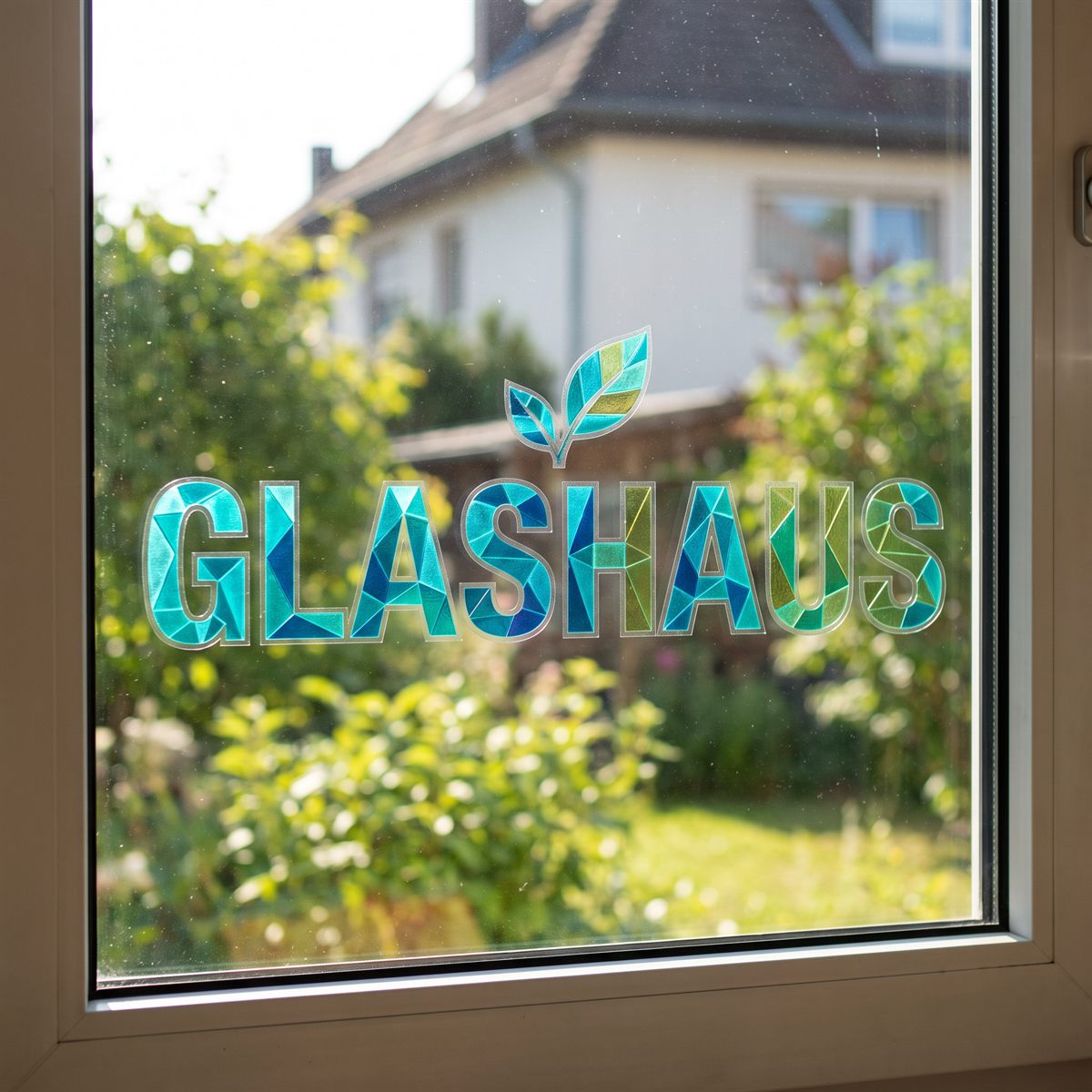
Decorating window panes
Light and views are preserved, and the room behind is not darkened.
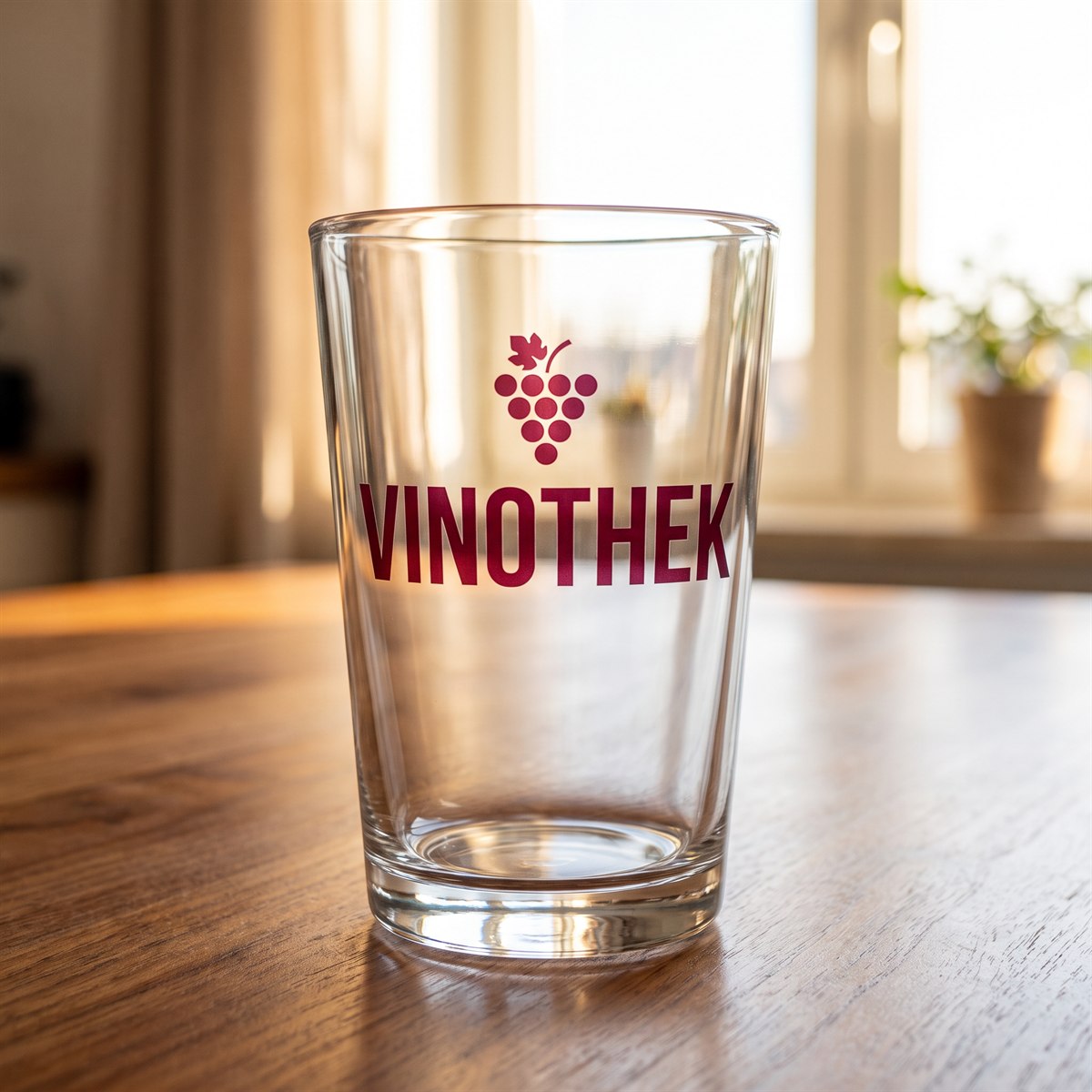
Decorating drinking glasses
The table shimmers through the design. On clear glass, the lettering looks etched in rather than stuck on.
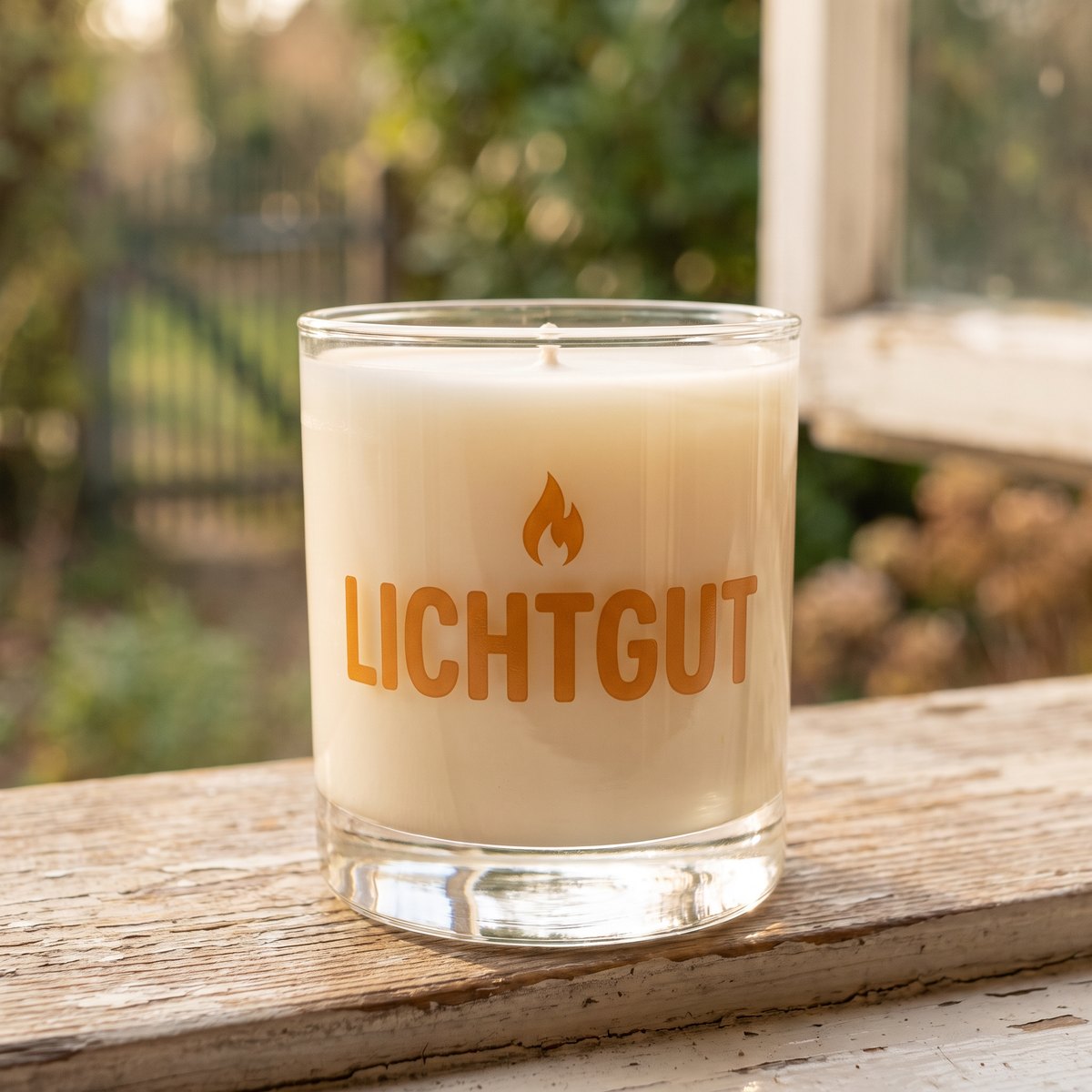
Labelling candle jars
The colour of the wax tints the design. As the fill level drops while burning, the effect of the lettering changes.
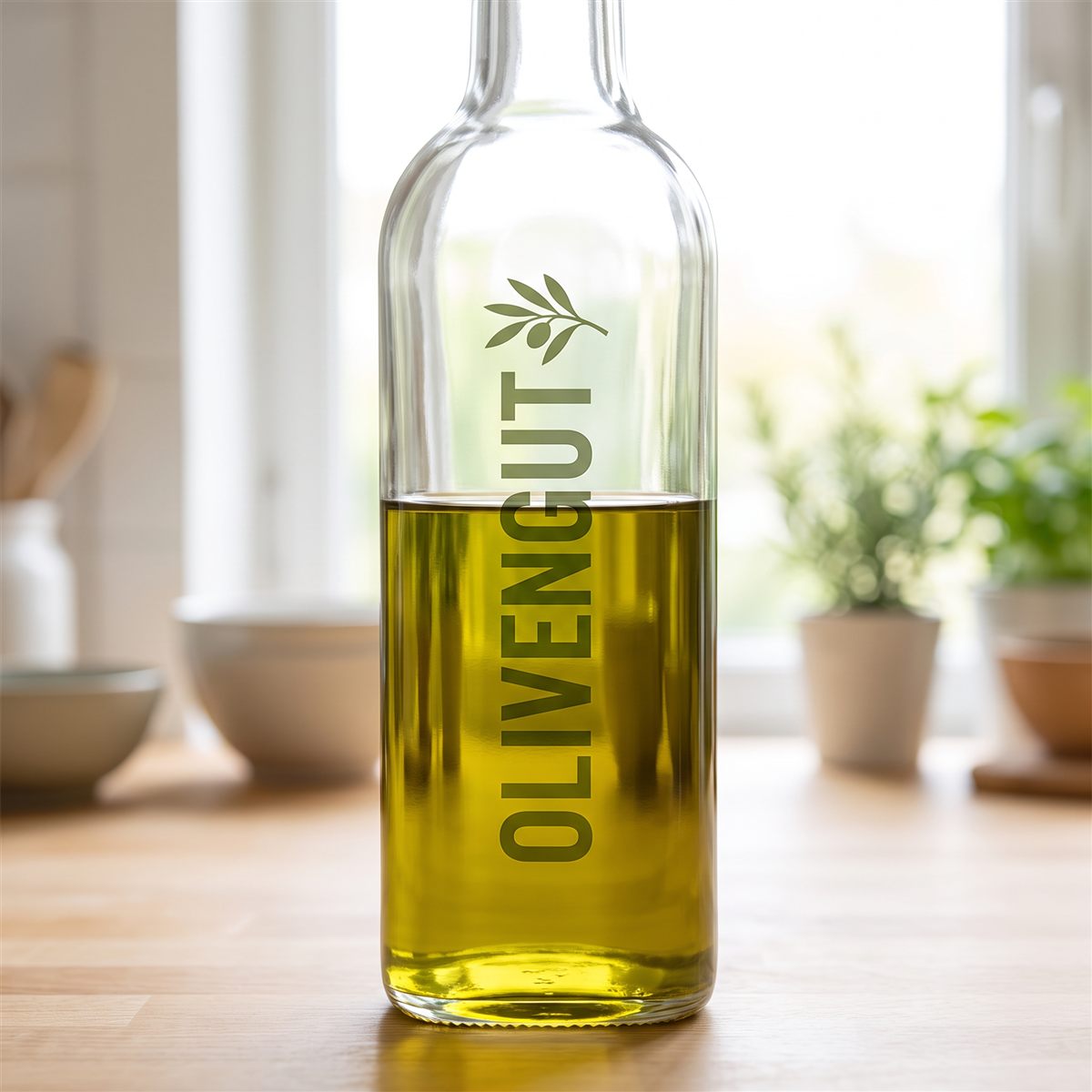
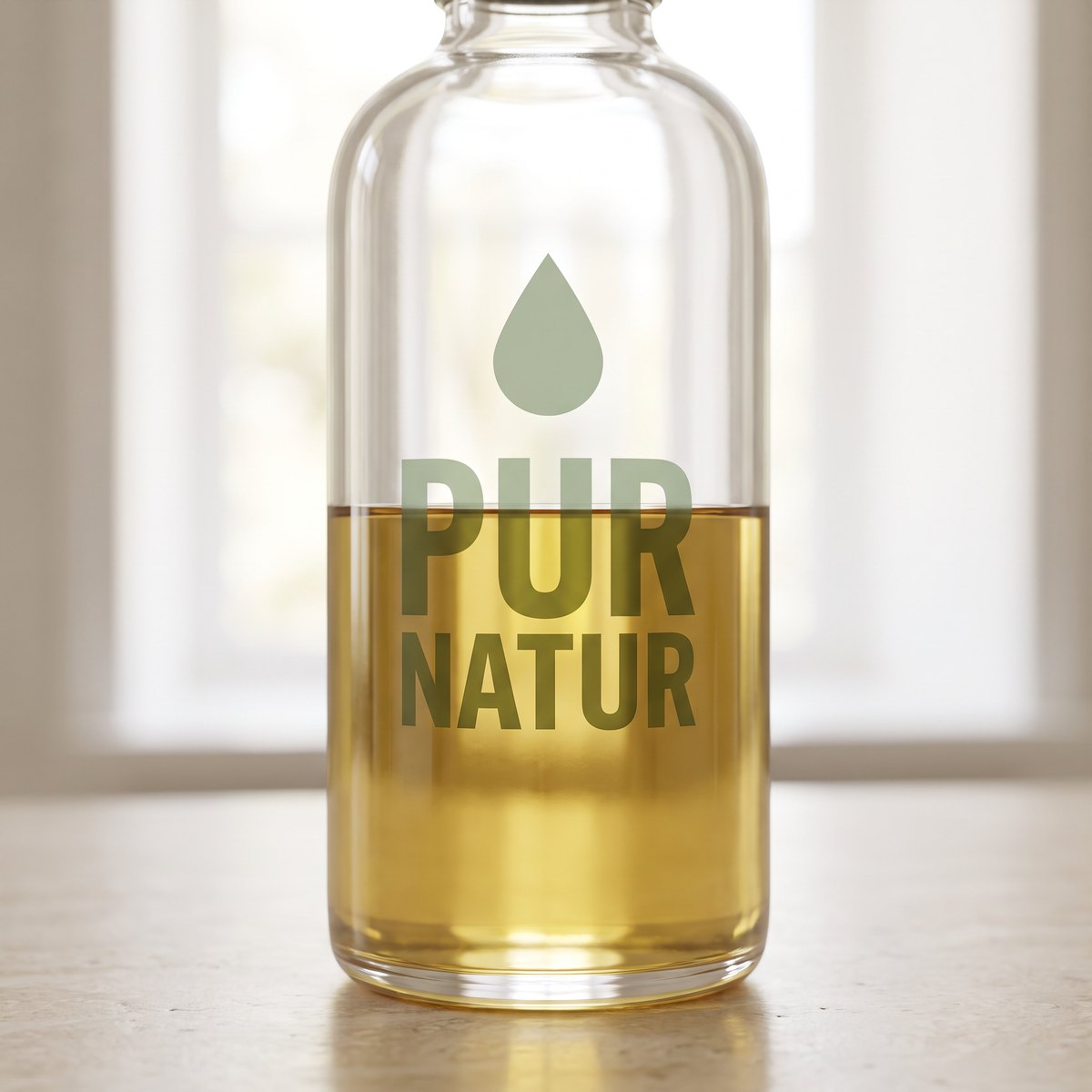
Labelling oil bottles
Where the lettering runs across the fill level, it becomes darker at the bottom and lighter at the top. The contents stay visible at all times.

Decorating display cabinets
Lettering without a frame and without a visible edge. The goods behind stay in view, and the design simply sits on top.
Personalising perfume bottles
The contents stay visible and tint the label. The design looks like part of the glass rather than a sticker.
Understanding the colour effect before ordering
Planning UV DTF Transparent correctly
With this version, the surface determines the result more than with Standard or Matt. That is why planning starts with the original object and not just with the print file.
What happens without white print?
CMYK printing inks are not fully opaque. Without the white layer, the visible colour of the object visually mixes into the design. A yellow logo on a blue surface can therefore look greenish. Very light shades lose a lot of visibility on dark surfaces.
No white print: With Transparent, fully white elements contain no printable colour information and remain clear. If white is needed as a visible design colour, switch to Standard with protective varnish or to Matt with white underbase.
Matching format and quantity of objects
Use A4 or A3 to check the transparent colour effect on the original object first. For approved runs, the half metre and film by the metre offer more space for glass logos, labels and recurring designs.
| Product size | Print area | Recommended planning |
|---|---|---|
| A4 | 210 x 297 mm | Colour test on the original glass and individual customer designs |
| A3 | 297 x 420 mm | Window lettering or several glass labels |
| Half metre | 560 x 500 mm | Small runs for candles, bottles or packaging |
| By the metre | 560 x 1000 mm | Many transparent logos and repeated labels |
With A4 and A3, the gang sheet is not trimmed along the A format. Set up the file with the correct outer dimensions and plan the later cutting of individual designs yourself. We do not scale your sheet afterwards.
Checking transparent UV DTF print files
- Create exactly one page in the ordered format and export it as a PDF or PNG.
- Use 300 dpi for image details and keep lines and small areas at least 0.4 mm thick.
- Plan around 1 cm of space so that the transfers can later be cut out individually.
- Work in CMYK and embed ISO Coated v2 (ECI) if possible.
- Do not mirror, and remove unintended backgrounds or semi-transparent pixels.
- Do not judge the colours only on a white screen, but ideally using a sample on the target object.
- Do not plan white text or areas if they need to be visible later.
Uploads may be no larger than 500 MB per file. Multi-page PDFs do not get past the upload, so each page becomes a file of its own. You can build the gang sheet in the DTF Designer only for UV DTF Standard so far, not for Transparent. For colour matching, the UV DTF colour chart is more helpful than a screen view alone. All 964 colour values are also available for reference as a PDF download.
Standard production or Transparent Express?
For Transparent express products, same-day production is possible if your order, payment and flawless print files are received in full by 11:00 (German time). For a total quantity of up to 10 metres, the cut-off is extended to 14:00.
Express production does not automatically speed up parcel delivery. For that, also choose DHL Express or UPS Express. Collection once we have notified you that your order is ready also remains possible.
Ordering Transparent without mix-ups
- Place the target object next to a test transfer and decide whether the translucent effect really fits.
- Explicitly choose a product labelled Transparent and then the sheet format you need.
- Determine the run based on the price tiers and upload the single-page print file.
- Add further designs together in the upload on the product page by drag and drop and enter the quantities per file.
- Check the version, production type and shipping once more in the summary before completing the order.
Applying transparent designs to glass
Glass cleaner can be suitable for preparation but must not leave a film or other residue. Dry the surface completely and check it against the light. Even small dust particles can be more noticeable under a transparent design.
Start the transfer at one edge and slowly smooth it onto the surface. Rub every detail firmly before peeling off the upper film at a narrow angle. On large glass surfaces, work particularly calmly so that no creases form. If the design is to sit on the inside of the pane and be legible from outside, email us briefly with your order number after ordering, and we will mirror it for you. You still set up your file the right way round and do not need to mirror it.
Limits of the transparent version
The lack of white print does not make Transparent a universal solution. On dark objects, designs can almost disappear. On leather and other difficult surfaces, adhesion problems may occur. Approval should always be based on a test on the identical material.
The transfers are not food-safe. Avoid direct contact with drinks, food and the mouth. For transparent UV DTF stickers on drinkware, too, we recommend hand washing rather than a blanket dishwasher approval.
If Transparent does not look as expected
Stop applying if colours on the target object look different than expected or individual elements do not adhere cleanly. First check object colour, coating, cleaning and rubbing pressure.
Send our customer service your order number, photos and details of the target object. We will do our best to support you and narrow down the cause together.
Translucent rub-on transfers for businesses
UV DTF Transparent for glass and light-coloured surfaces
Transparent UV DTF stickers are produced without a white underbase. This keeps glass, light and object colour visible within the design. The effect is suitable for shop windows, candle jars, clear packaging, acrylic signs and other solid products where a fully opaque label would look too heavy. The design can be rubbed on without a press and needs no weeding.
For B2B orders, transparent UV DTF transfers are available in A4, A3, as a half metre and as film by the metre. Selected express items help with short-notice customer orders. Thanks to the quantity tiers, agencies, decorators and manufacturers can cost both individual samples and recurring runs appropriately.